CPAP Humidity Settings for Dry vs Humid Climates
If you are using a continuous positive airway pressure (CPAP) machine to manage sleep apnea, you need to find the right humidity level for optimal comfort and therapy effectiveness. CPAP humidity settings significantly impact your sleep quality, and the ideal level varies based on your bedroom environment, climate, and personal needs.
Most CPAP machines offer a humidity scale from 1 to 8. Sleep specialists often suggest starting at a moderate level, such as 3 or 4, and adjusting as needed based on your symptoms. These settings work with heated tubing to maintain the perfect moisture balance during therapy.
Improper humidity levels can cause dry mouth, nasal dryness, sore throat, or excessive condensation, known as rainout. Around 40% of sleep apnea patients report dry mouth as a side effect of therapy. Symptoms such as CPAP dry mouth, CPAP nasal dryness and irritation, and CPAP sore throat may arise if the humidity is too low.
In the same way, if the humidity level is too high, this can also cause problems; for example, excessive moisture leads to CPAP condensation in the tube.
Adjusting your CPAP humidifier settings guide to suit your climate – whether dry, humid, or variable – is important for effective treatment and comfort. Finding the right balance ensures comfortable, uninterrupted therapy.
Challenges in Arid Climates
If you live in a desert climate or the arid Southwest U.S., you are likely to be familiar with how dry air can worsen CPAP discomfort. Dry air removes moisture from your airways. This can lead to issues such as CPAP dry mouth, sore throat, nasal dryness, irritation, nosebleeds, sinus pain, and even headaches upon waking.
In this environment, achieving the best CPAP humidity level is essential. The pressurized air from your CPAP machine, without a humidifier, feels even cooler and drier than normal air, often leaving your nasal passages and throat feeling raw.
For people who are already dealing with CPAP-related sinusitis, nosebleeds, or a stuffy nose, these challenges can intensify and may reduce therapy adherence if not addressed.
Recommended Humidity Levels
In dry regions, it is recommended to set higher humidity levels on your CPAP machine. Start at a setting of 4-6 out of 8, or use the auto humidity mode to let your device adjust dynamically.
Pair this with heated tubing to control humidity.
Set the CPAP heated hose settings to around 80°F (27°C) to maintain warmth and prevent moisture loss as the air travels to your mask.
For the best CPAP humidity in a dry climate, gradually increase the settings from the default mid-range while monitoring your symptoms. If dryness continues, adjust the humidity level incrementally over a few nights.
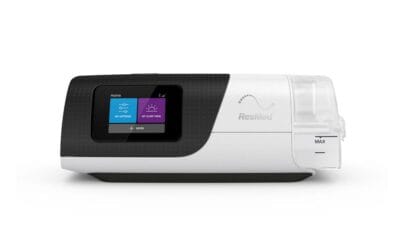
Always use distilled water in the humidifier chamber to prevent mineral buildup, and consider using climate control auto features available in modern machines like ResMed. These features offer guidance tailored to your unique needs and ensure ideal CPAP humidity for comfort, transforming dry, arid nights into restorative sleep sessions, even in desert climates.
Adjusting Humidity Settings in Humid Climates
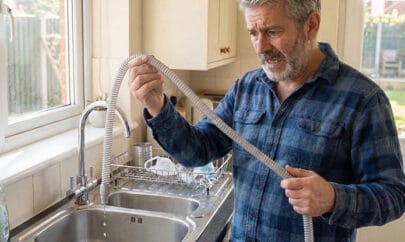
If you’re in a humid or tropical climate, excessive moisture can turn your CPAP therapy into a challenging experience. High outdoor humidity can lead to issues such as condensation in mask components – and gurgling water or condensation pooling in the tube. Also, the water chamber emptying too fast in such climates becomes a common issue.
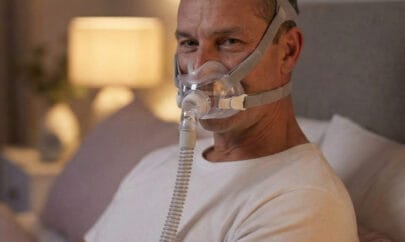
Excess moisture can cause discomfort, such as drips in your full-face CPAP mask or nasal pillow, and may even promote bacterial growth if not properly managed. It can affect the quality of your sleep and reduce therapy effectiveness. For those using CPAP to alleviate nasal congestion or allergies, high humidity levels can worsen stuffiness, leaving you feeling uncomfortable and muggy in the morning.
Setting Lower Humidity Levels
To address these issues, consider lowering your CPAP humidity settings to a range of 1-3 on the scale. Alternatively, you can switch to auto humidity settings instead of manual adjustments for real-time optimization.
Using heated tubing with CPAP humidifier temperature settings between 75-80°F can help evaporate excess moisture and prevent rainout.
Positioning your machine lower than your bed allows gravity to drain moisture back into the device, also helping to prevent CPAP rainout. Using room air conditioning may be another way to balance humidity levels in this type of climate.
For the best CPAP humidity settings in humid climates, adjust incrementally. Follow a step-by-step approach by lowering the humidity setting slightly, monitor the tube temperature relative to the room temperature – all to aim for drier air that ensures uninterrupted sleep apnea therapy.
Seasonal Adjustments and Personal Comfort Tips
As the seasons change, it’s important to adjust your CPAP humidity levels to accommodate variations in air quality and temperature. During winter, increase the humidity settings on your CPAP device to counteract the moisture loss caused by indoor heating.
For ResMed users, humidity levels between 5-7 are often recommended to alleviate dry mouth and prevent disruptions to sleep health.
In spring and summer, lower the humidity settings to 2-4 if you notice signs of excess humidity – such as condensation or drips – especially when air conditioning is in use.
During the fall, gradually adjust the settings as allergens become more prevalent. Remember to clean your equipment weekly to avoid irritants while making adjustments for cooler temperatures.
Keep a journal to track room temperature, machine performance, and how you feel in the morning to fine-tune your humidity temperature settings.
Individual Considerations and Comfort Tips
Your personal comfort should take priority, so consider customizing beyond seasonal changes. Decide between auto humidity and manual CPAP settings, or opt for climate control features for automatic adjustments. If you’re traveling, be prepared for CPAP humidity changes by packing essential supplies like tubing wraps and testing your settings before your trip.
For full-face CPAP mask users, lower humidity levels may be more suitable, while nasal mask users might require higher settings. Make incremental adjustments, such as half-level changes every 2-3 nights, as recommended by sleep technicians for better results.
Remember to stay hydrated, ventilate your space, and consult your healthcare provider for guidance on ResMed or other CPAP settings. Ensure your heated tubing and humidification settings are optimized to achieve maximum comfort and effectiveness for sleep apnea management.
Enhancing CPAP Therapy Through Appropriate Humidity Settings
Mastering CPAP humidity settings is essential for effective sleep apnea management. These settings need to be adjusted based on your environment. Key recommendations include increasing humidity in dry regions to combat dryness, lowering it in humid areas to prevent rainout, and modifying it seasonally for optimal comfort.
Further recommendations include starting at a mid-scale setting (around 3-4) and utilizing features like heated tubing and humidity control.
Monitoring symptoms like CPAP stuffy nose or dryness, and referring to guidance like the ResMed humidity settings or how to adjust CPAP humidity step-by-step guides can also help you find the optimal setting for you. Personalizing settings ensures optimal therapy adherence and comfort.
Take action now. Experiment with incremental adjustments tonight and consult your doctor for tailored advice. Consistent CPAP therapy can help you reclaim restorative sleep and improve your overall health. With better adherence and effective settings, you can enjoy better sleep – and your health will flourish.